Money Management
The money manager decides the lot size (volume) of every order your EA opens. Your EA has exactly one money manager.
In short:
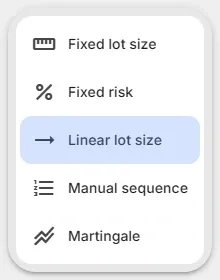
- Fixed lot size: always the same lot size.
- Linear lot size: the lot size grows and shrinks with your account.
- Fixed risk: the lot size is set so a loss at the stop loss costs a fixed amount.
- Manual sequence: each next order takes the next lot size of a sequence you set.
- Martingale: after losing orders the lot size follows a sequence.
What money management does
Section titled “What money management does”When you open a position, you take a risk of losing money. How much you risk depends on three things:
- How well the EA chooses its opening price: your signals.
- How far the price may go against the order: your stop loss and the drawdown you accept, set with strategy modules.
- The position size (volume) in lots: the money manager.
Choose a money manager
Section titled “Choose a money manager”The Money Management column of the EA editor shows the money manager of your EA, with a short explanation and its main setting.
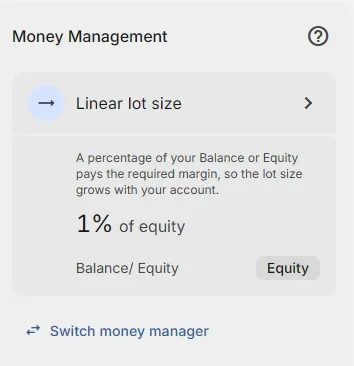
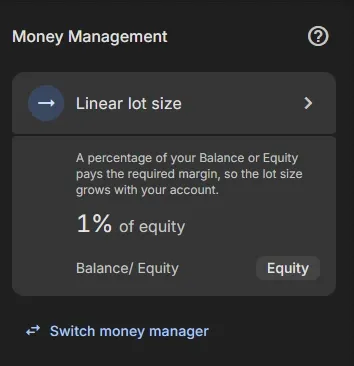
- Click Switch money manager under the card.
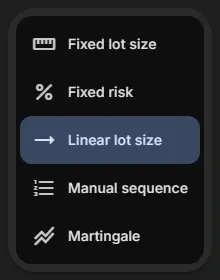
- Click the money manager you want. Your EA uses it right away.
- Click the card to open its settings, change them and click Save.
Compare the money managers
Section titled “Compare the money managers”| Money manager | Lot size is set by | Grows with your account | Reacts to losses | Plan |
|---|---|---|---|---|
| Fixed lot size | A fixed number of lots | No | No | Free |
| Linear lot size | A percentage of balance or equity that pays the margin | Yes | No | Free |
| Fixed risk | The amount you risk until the stop loss | Yes, with a percentage of balance | No | Pro |
| Manual sequence | The next part of a sequence, per order | Only with a % part | No | Pro |
| Martingale | The next part of a sequence, after losing orders | Only with a % part | Yes | Pro |
Lot size limits
Section titled “Lot size limits”Every money manager stays within the minimum and maximum lot size your broker sets for the symbol:
- A calculated lot size below the minimum opens at the minimum, for example 0.01 lot. Even a lot size or percentage of 0 can open an order of 0.01 lot.
- A calculated lot size above the maximum opens at the maximum.
- The lot size is rounded to the lot step of the symbol.
The lot size sequence
Section titled “The lot size sequence”Manual sequence and Martingale use a Lot size sequence: a list of parts that each give the lot size of the next order.
Build the sequence
Section titled “Build the sequence”- Start with a lot size: a number of lots, such as
0.01, or a percentage of your equity, such as1%. A percentage uses that amount of equity to pay the required margin, like Linear lot size. - Add a step for each next order: + (add to the previous lot size), − (subtract from it), × (multiply it)
or ÷ (divide it). For example
×2. - Press Enter after each part.
- Click a part to change it; drag it to move it.
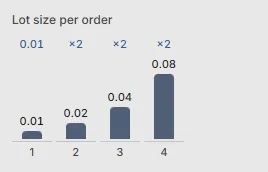
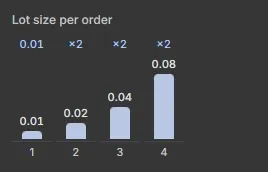
- The chart under the field shows the lot size of each order.
How the sequence is used
Section titled “How the sequence is used”- The last part repeats. With
0.01, ×2the lot size keeps doubling: 0.01, 0.02, 0.04, 0.08, … End with+0to stop increasing. - Split sequence for buy and sell orders: buy and sell orders each follow their own count through the sequence.
- Use real (rounded) lot size for next orders: the next lot size is calculated from the real lot size of the newest open order, not from the calculated one. See the examples on Manual sequence.
Related
Section titled “Related”- Stop loss: needed for Fixed risk
- Margin requirements: no new orders without enough margin
- Run a backtest: see the lot sizes your EA would use
MetaTrader is a registered trademark of MetaQuotes Ltd. EA Builder Pro is not affiliated with MetaQuotes.