Account, theme, language and app
Your account icon at the top right of the app opens the account menu: your account, the theme, the language and, where your browser supports it, Install app. On a phone it opens at the bottom of the screen.
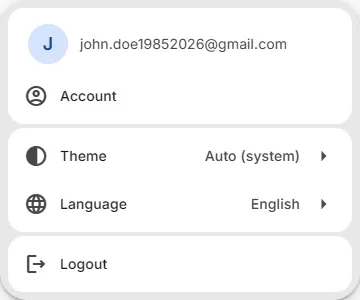
Your account
Section titled “Your account”Account opens your account page. There you see your subscription and its renewal date, and you can:
- Manage Billing: your payment details and invoices.
- Cancel subscription, or turn the renewal back on.
To upgrade, see Free and Pro plan compared and the Pricing page. Logout logs you out.
Light or dark theme
Section titled “Light or dark theme”Theme has three choices:
- Auto (system): follows the light or dark setting of your device.
- Light
- Dark
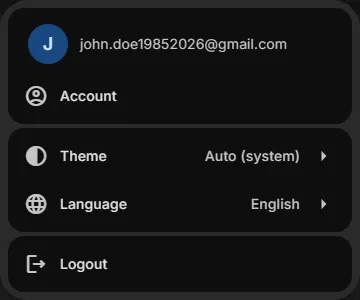
The theme is saved in your browser. The help next to the editor follows it too.
Language
Section titled “Language”Language switches the app to English, Nederlands, Español, Português, Deutsch, Français, 日本語, Русский, العربية or 中文. Your choice is saved in your account. The documentation is available in the same languages.
Trading terms such as Stop Loss, Take Profit, Buy and Sell, and the names of modules and settings, stay in English in every language, like in MetaTrader.
Install the app
Section titled “Install the app”Install EA Builder Pro as an app: it gets its own icon and opens in its own window, without the browser bar.
- Chrome or Edge (computer and Android): account menu > Install app.
- iPhone or iPad: in Safari, tap Share > Add to Home Screen.
On your phone
Section titled “On your phone”- The navigation is at the bottom of the screen: Experts, Indicators, Backtest and Menu. Menu has Pricing, the support links (Documentation & Tutorials, Troubleshoot, FAQ, Blog) and the partner links.
- In the EA editor the columns become tabs. See The EA editor on a phone.
Related
Section titled “Related”- The EA editor: find your way around
- Free and Pro plan compared: what each plan can do
MetaTrader is a registered trademark of MetaQuotes Ltd. EA Builder Pro is not affiliated with MetaQuotes.