Run a backtest
EA Builder Pro has a built-in backtester: you run backtests of your EA in the cloud, on MetaTrader, without exporting it. With it you quickly find out whether a strategy is profitable.
In short:
- Click Run backtest in the EA editor, choose the settings and click Run.
- The backtest waits in a queue, runs on our backtest servers, and shows up in your backtest list.
- Then read the result: Read your backtest results.
Before you start
Section titled “Before you start”Tick data. Our MT4 backtests use Dukascopy tick data; our MT5 backtests use Pepperstone tick data. Every broker has slightly different tick data, which gives different results, especially for (micro) scalpers. We highly recommend MT5: its tick quality is much better.
Scalping. With scalping strategies, or a low take profit and/or stop loss, spreads and commissions have a big impact on the result. For scalping strategies we recommend to:
- Backtest on your local machine only.
- Check that spreads, commissions and latency match your broker’s.
Not scalping? Then make sure:
- On MT5, you use the Every tick based on real ticks test model, for the most accurate ticks.
- If your account has a commission per lot, the commission column is filled (in MetaTrader: Strategy Tester tab, Orders & Deals).
Start a backtest
Section titled “Start a backtest”- Log in, and open your EA in the EA editor.
- Click Run backtest. The Backtest dialog opens.
- Check the settings (see below).
- Click Run. The backtest is added to the queue.
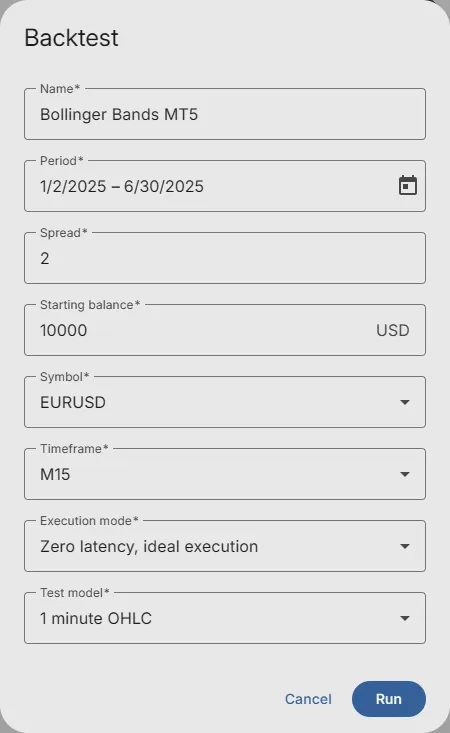
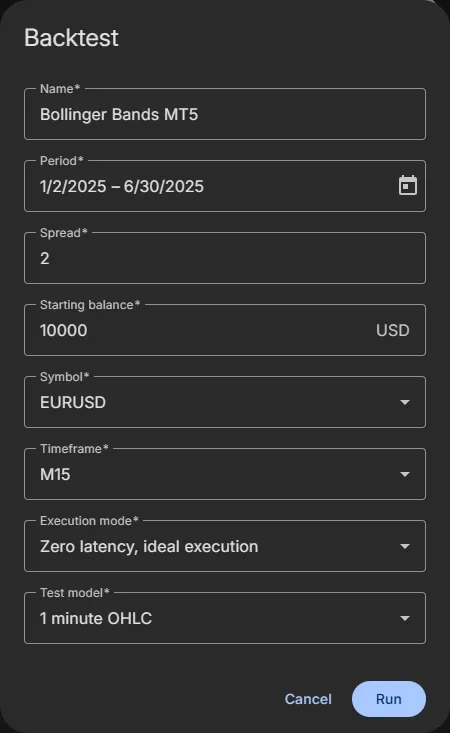
Backtest settings
Section titled “Backtest settings”The name of the backtest in your list. It starts as the name of your EA.
Period
Section titled “Period”The first and the last day of the test. Click the calendar to pick them. A backtest covers at least one day.
Spread
Section titled “Spread”The difference between the Bid and the Ask price, in pips. Use the spread of your broker for the symbol, or a little more to be on the safe side.
Starting balance
Section titled “Starting balance”The deposit the backtest starts with, in USD.
Symbol
Section titled “Symbol”The symbol to test on: currency pairs such as EURUSD, indices such as GER 40, commodities such as Brent Crude Oil and crypto such as Bitcoin.
Timeframe
Section titled “Timeframe”The timeframe of the chart the EA runs on, from M1 to Monthly. Indicators and Bar operands on Current use this timeframe.
Execution mode
Section titled “Execution mode”Simulates the delay between placing an order and its execution, like on a real account: from Zero latency, ideal execution to 1000 ms, or Random delay. MT5 only.
Test model
Section titled “Test model”Which prices the backtest uses:
- Every tick: ticks generated from the bars. Accurate for most strategies.
- 1 minute OHLC: only the Open, High, Low and Close of each 1-minute bar. Much faster; good for strategies that act on closed bars.
- Open prices only: only the open price of each bar. Fastest; only for EAs that act on the open of a new bar.
- Math calculations: no price history. Not for trading strategies.
- Every tick based on real ticks: the real recorded ticks. The most accurate; recommended on MT5.
Daily limit on the free plan
Section titled “Daily limit on the free plan”On the free plan you can run a limited number of backtests per day. The dialog shows how many you have left today.
What happens next
Section titled “What happens next”- Your backtest waits in a queue. The queue works first scheduled, first processed: when many backtests are queued, it can take a while.
- It runs on one of our backtest servers.
- When it’s done, the result shows in your list, with a balance curve and the result.
Follow the progress in the backtest list (Backtest in the
navigation). The list shows the backtests of the platform you selected with the platform button (MT4 / MT5) in the
app bar.
Recover EA
Section titled “Recover EA”Changed your EA since the backtest? Open the backtest and click Recover expert advisor: a copy of the EA, exactly as it was for this backtest, is added to your Expert Advisor list.
Related
Section titled “Related”- Read your backtest results: the Overview and the Report
- Backtest report charts: balance, entries, holding time, MFE and MAE
- Orders and deals: every order and deal of the backtest
- How to analyse a backtest: a step-by-step check before you trade with real money
MetaTrader is a registered trademark of MetaQuotes Ltd. EA Builder Pro is not affiliated with MetaQuotes.