Orders and deals in a MetaTrader backtest
The Orders and Deals tabs of a backtest show everything your EA did, trade by trade. To read them you need three MetaTrader terms: order, deal and position.
Order, deal and position
Section titled “Order, deal and position”What is an order?
Section titled “What is an order?”An order is a request to buy or sell: “buy 0.10 lot EURUSD at the market price” or “sell 0.10 lot when the price drops to 1.0800”. The order also holds the stop loss (S/L) and take profit (T/P) your EA set. An order that is not executed (a pending order that is deleted or expires) never opens a position.
What is a deal?
Section titled “What is a deal?”A deal is what actually happened when an order was executed: the trade at a certain price, time and volume. A deal changes a position. Commission, swap and profit are booked on deals, so the Balance after each deal shows how your account grew.
What is a position?
Section titled “What is a position?”A position is what you have open in the market as the result of deals: for example 0.10 lot EURUSD long. A position is opened by one deal and closed by another.
How they fit together
Section titled “How they fit together”Your EA opens a buy:
- Your EA sends an order: buy 0.10 lot.
- The order is filled. That gives a deal with direction In: the position is opened.
- Later the take profit is hit. MetaTrader creates a new order (sell 0.10 lot) to close it.
- That order gives a deal with direction Out: the position is closed and the profit is booked.
So one trade in the report normally has two orders and two deals: see ‘1’ and ‘2’ in the image below. In MT4 the same trade is one ticket (#1) from its Buy row to its T/p row.
MT4 and MT5 are different
Section titled “MT4 and MT5 are different”MetaTrader 5 works with orders, deals and positions as described above. That’s why an MT5 backtest has both an Orders tab and a Deals tab.
MetaTrader 4 has no deals. In MT4 an order is the trade: the same ticket is opened, modified and closed. The Orders tab of an MT4 backtest is the trade history of the tester: one row for every event of an order (open, modify, close). The Deals tab is not shown for MT4.
The Orders tab
Section titled “The Orders tab”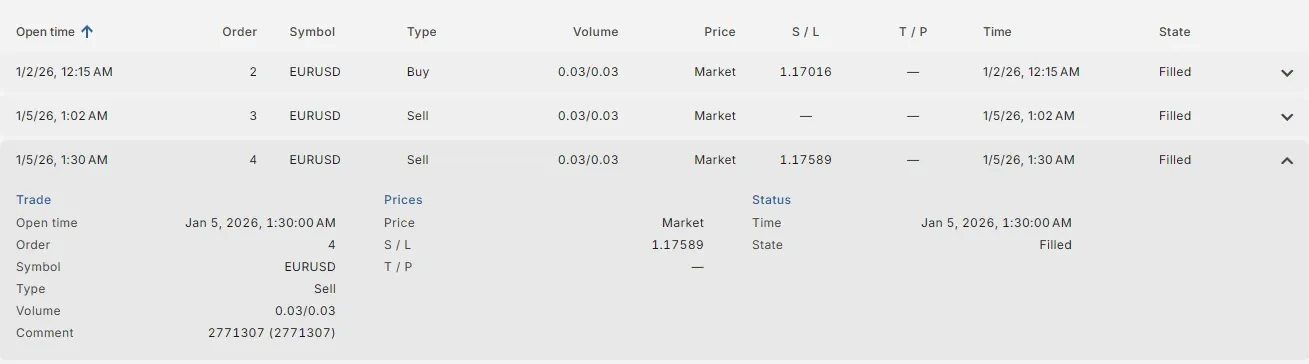
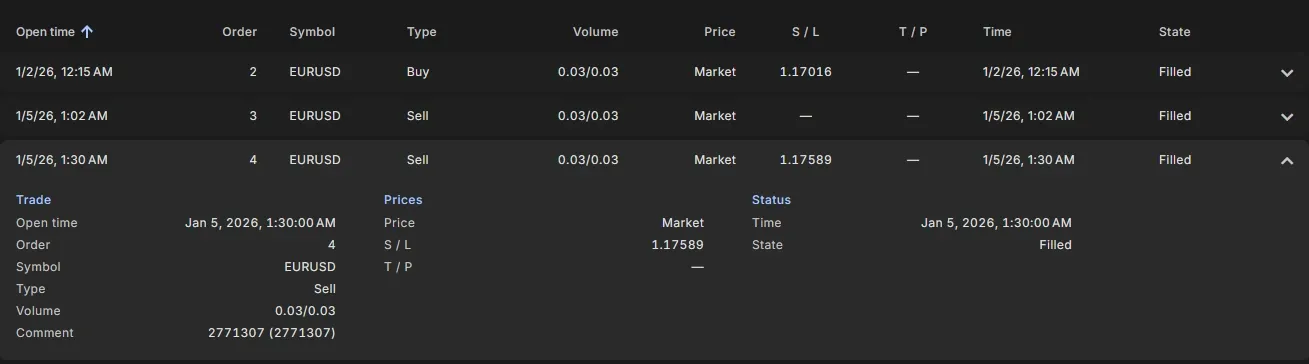
| Column | Meaning |
|---|---|
| Open time | When the order was placed. |
| Order | The order number (ticket). The same number appears in the Order column of its deal. |
| Symbol | The symbol, for example EURUSD. |
| Type | Buy, Sell, or a pending order type: Buy Limit, Sell Limit, Buy Stop, Sell Stop. |
| Volume | The volume in lots: filled / requested, for example 0.10 / 0.10. |
| Price | The price of a pending order. A market order has no price of its own and shows Market; the price it was filled at is in its deal. |
| S / L, T / P | The stop loss and take profit of the order, or a dash when there is none. |
| Time | When the order was filled, cancelled or expired. |
| State | Filled, Canceled, Expired or Rejected. Only a filled order produced a deal. |
| Comment | The comment of the order, see Comment. |
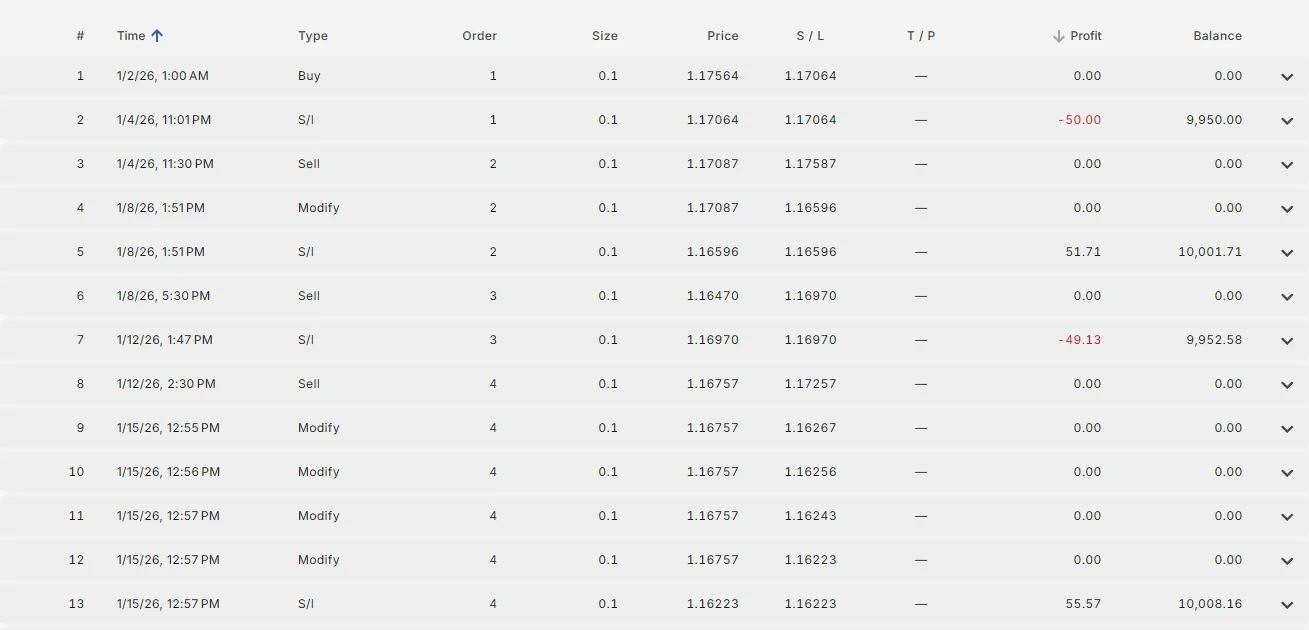
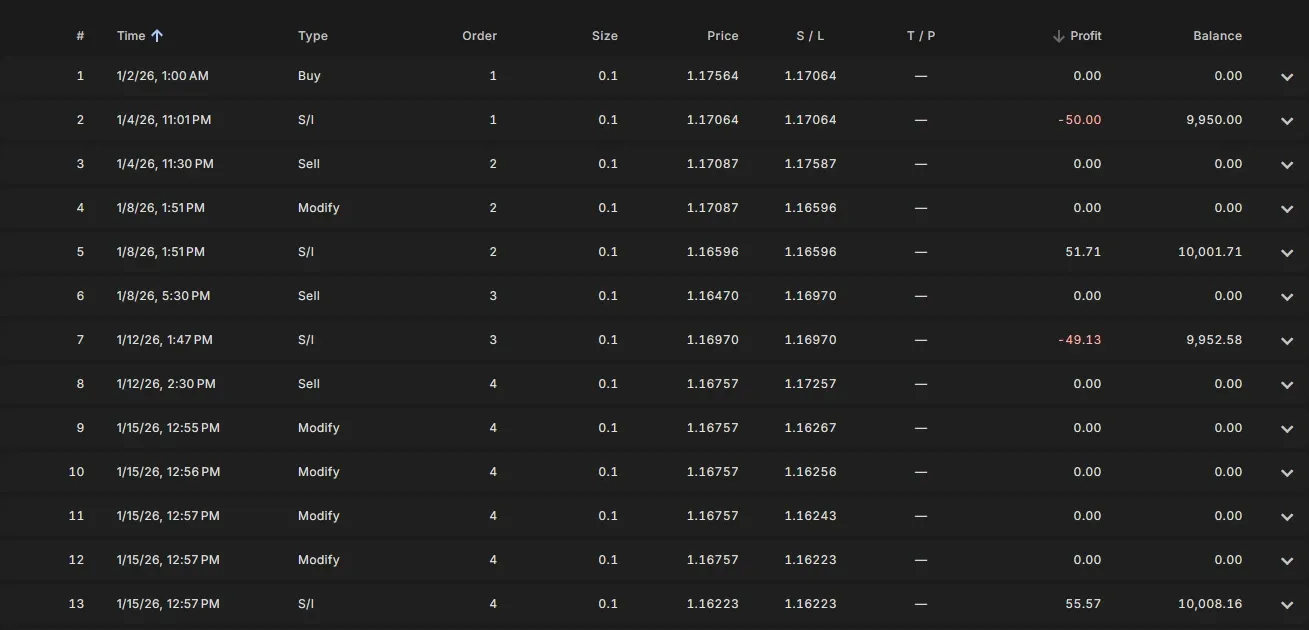
| Column | Meaning |
|---|---|
| # | The row number in the trade history. |
| Time | When the event happened. |
| Type | What happened: Buy or Sell (opened), Buy Limit, Sell Stop, … (pending order placed), Modify (S/L or T/P changed, for example by a trailing stop), S/l or T/p (closed by the stop loss or take profit), Close (closed by the EA, for example by a Close Buy signal), Close at stop (closed at the end of the test), Delete (pending order deleted). |
| Order | The ticket. All events of one trade have the same ticket. |
| Size | The lot size. |
| Price | The price of the event: the open price, the new level for a modify, or the close price. |
| S / L, T / P | The stop loss and take profit after this event. |
| Profit | The profit or loss, only on the row that closes the trade (0.00 on the other rows). |
| Balance | The balance after the trade was closed, only on the closing row. |
Follow one ticket from its Buy row to its T/p or S/l row to see how a trade went: how often the stop loss moved (Modify), and how it ended.
The Deals tab (MT5)
Section titled “The Deals tab (MT5)”| Column | Meaning |
|---|---|
| Time | When the deal was executed. |
| Deal | The deal number. |
| Order | The order that produced the deal. |
| Symbol | The symbol. |
| Type | Buy or Sell. The first deal of every backtest has type Balance: the deposit, without symbol, direction or volume. |
| Direction | In opens or adds to a position, Out closes (part of) a position, In/Out reverses a position (closes it and opens one in the other direction with the same deal). |
| Volume | The volume in lots. |
| Price | The price the deal was executed at. This is the real fill price, including slippage. |
| Commission | The commission charged for this deal (negative). Usually charged on both the In and the Out deal. |
| Swap | The overnight interest of the position, booked on the Out deal. Negative is a cost, positive is earned. 0 on the In deal, and 0 if the position was closed before the daily rollover. |
| Profit | The profit or loss of the position, booked on the Out deal. An In deal has profit 0. |
| Balance | The account balance after this deal. |
| Comment | See Comment. |
The net result of a trade is profit + commission + swap, of all its deals together.
Example: a deal explained
Section titled “Example: a deal explained”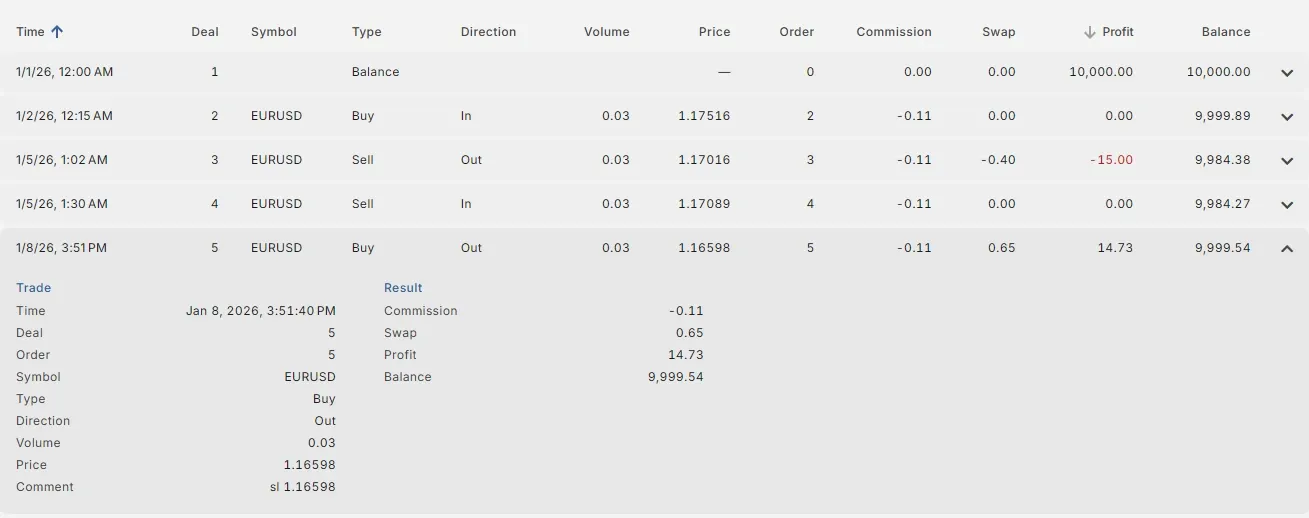
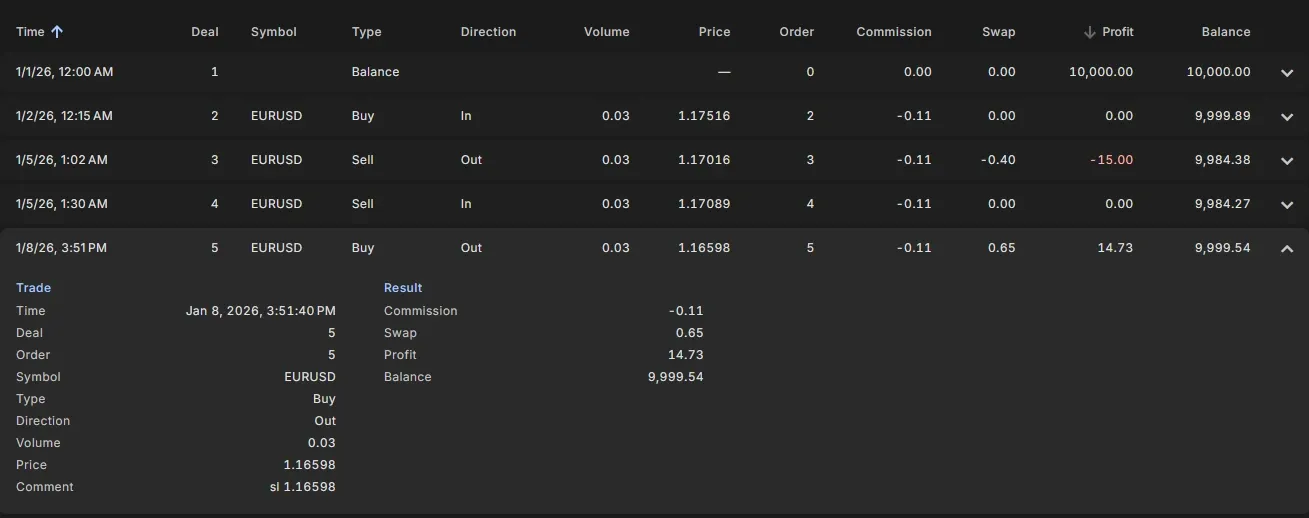
Deal 5 in this backtest:
- Type Buy, Direction Out: a buy that closes. So this deal closed a sell position: you close a sell by buying it back. The sell was opened by deal 4 (Sell, In) at 1.17089.
- Volume 0.03, Symbol EURUSD: the position was 0.03 lot EURUSD.
- Comment
sl 1.16598: the position was closed by its stop loss at 1.16598. Still the trade made a profit: the Trailing stop loss had moved the stop loss far below the entry price, into profit. - Price 1.16598: the price it was bought back at, here exactly the stop loss level. When the price jumps past the level, the fill price can be worse or better (slippage).
- Commission -0.11: the commission for closing. Deal 4 paid -0.11 for opening.
- Swap 0.65: the position was open from 5 to 8 January, so over several rollovers, and the swap for a sell EURUSD was positive: it earned a little interest.
- Profit 14.73: the price move: 1.17089 - 1.16598 = 49.1 pips on 0.03 lot.
- Balance 9,999.54: the account balance after this deal.
The net result of the whole trade (deal 4 and deal 5) is 14.73 + 0.65 - 0.11 - 0.11 = 15.16.
Comment
Section titled “Comment”The comment tells you why something happened.
| Comment | Meaning |
|---|---|
sl 1.08250 | Closed by the stop loss at 1.08250. |
tp 1.09120 | Closed by the take profit at 1.09120. |
so: 50.00% / ... | Stop out: the broker closed the position because the margin level fell below the stop out level. A sign that the lot size or the number of open trades was too large. |
end of test | Still open at the end of the backtest, closed by the tester. |
| The order comment of your EA | Opened by your EA, or closed by it (for example by a Close Buy or Close Sell signal). The text is the OrderComment input of the EA; in a backtest it is the number of the backtest, for example 2771307 (2771307). |
Counting the comments shows what drives your results: if most trades end with sl, the exit is the stop loss; if most end with a close by the EA, your Close signals decide the result. Note that with a trailing stop loss a trade that ends with sl can still be a winner: the stop loss had moved into profit. Look at the Profit as well. See Analyse a backtest.
Sort and browse
Section titled “Sort and browse”On a wide screen the Orders and Deals are a table with 15 rows per page. Click Time (or Open time) to sort by time, or Profit to see the biggest winners or losers first. Click a row to expand all its fields. On a phone the tabs show a list; sort it with the chip above the list.
Related
Section titled “Related”MetaTrader is a registered trademark of MetaQuotes Ltd. EA Builder Pro is not affiliated with MetaQuotes.